MetaTrader Integration

Forex Strategy Studio takes you from idea → strategy → backtest → execution without the usual friction.
➡️ Create and refine your strategy logic in the visual strategy builder (no coding required).
➡️ Validate your approach with powerful on-device backtesting and performance analytics.
➡️ Iterate quickly, compare results, and only move forward once the data supports the strategy.
➡️ Then, export your strategy as real MQL5 source code and run it inside MetaTrader 5
as an Expert Advisor.
1) In Forex Strategy Studio
- Open Forex Strategy Studio
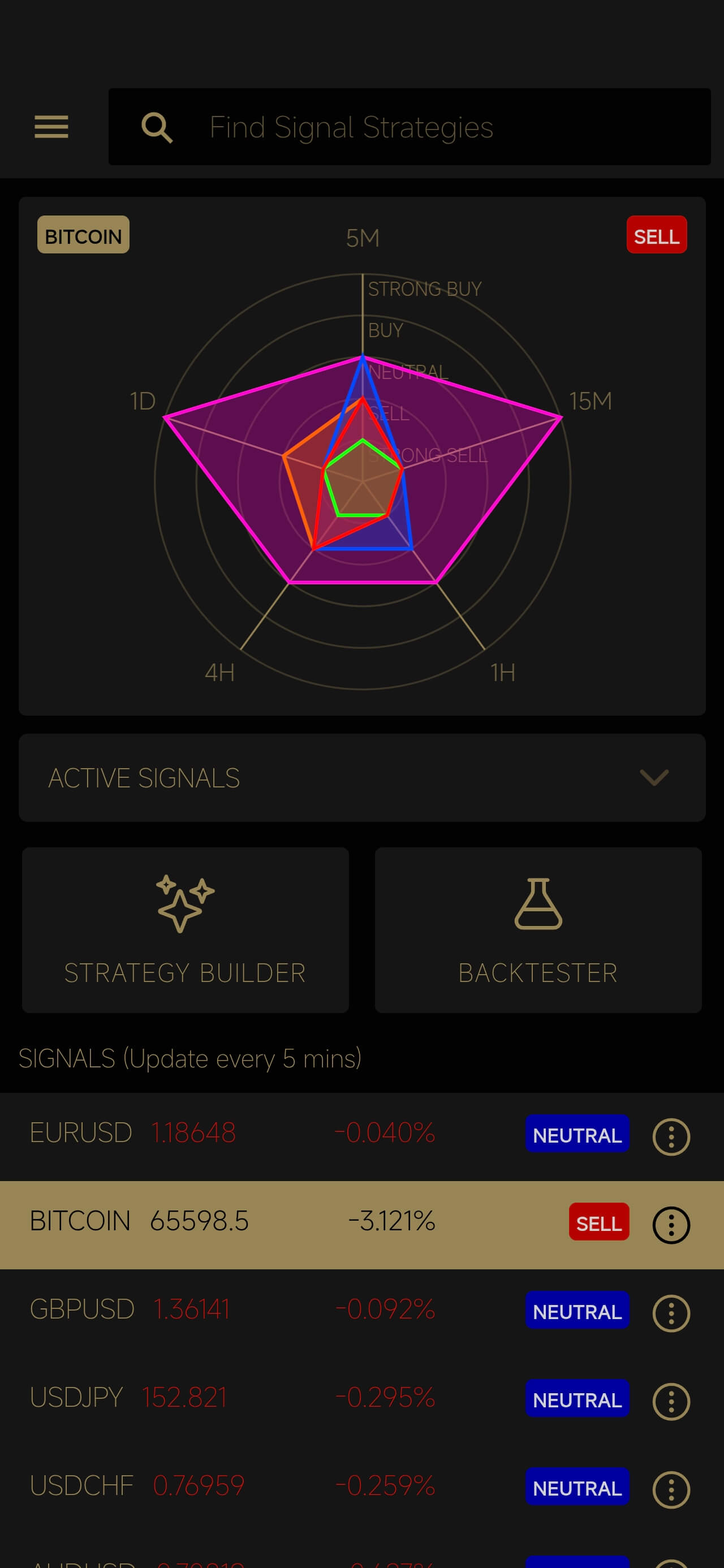
- Open the Menu
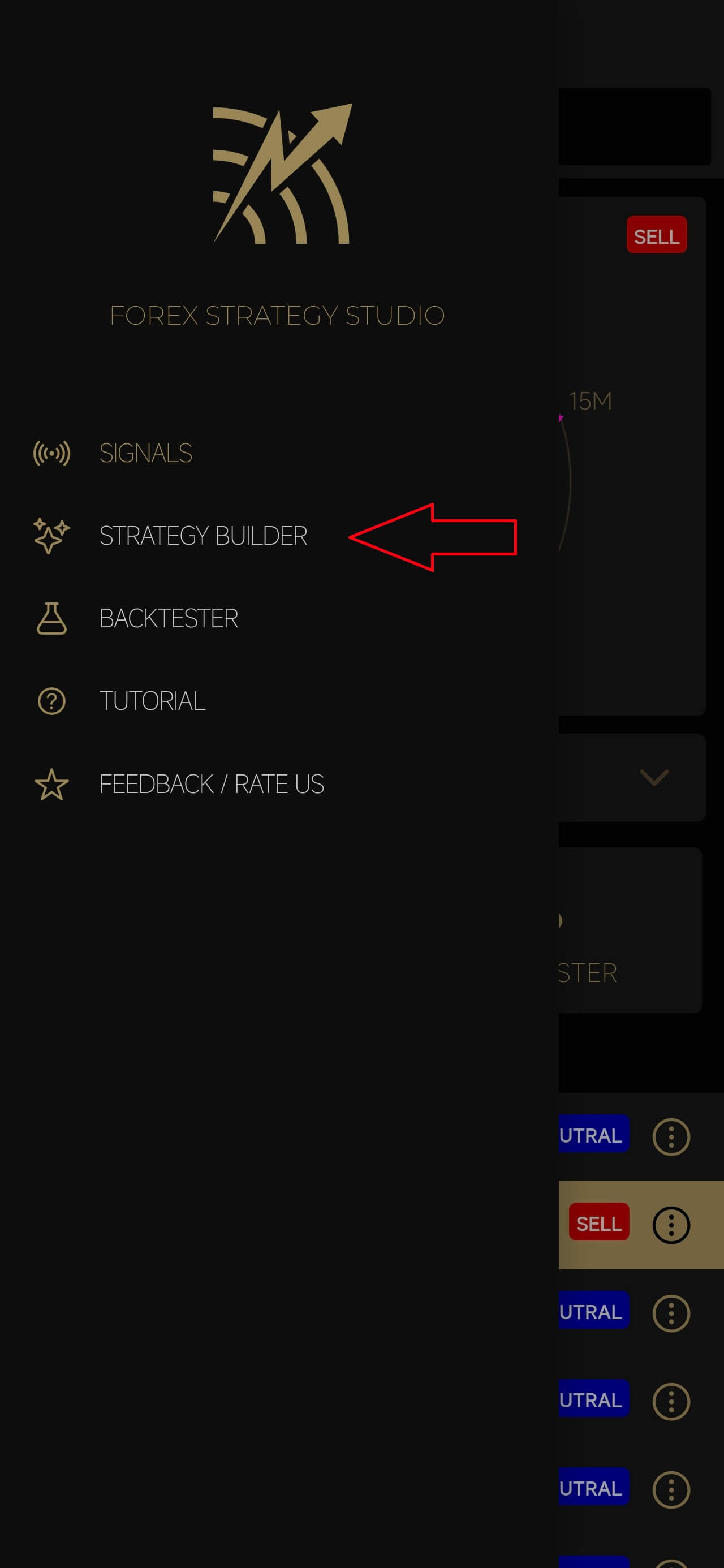
- Open Strategy Builder
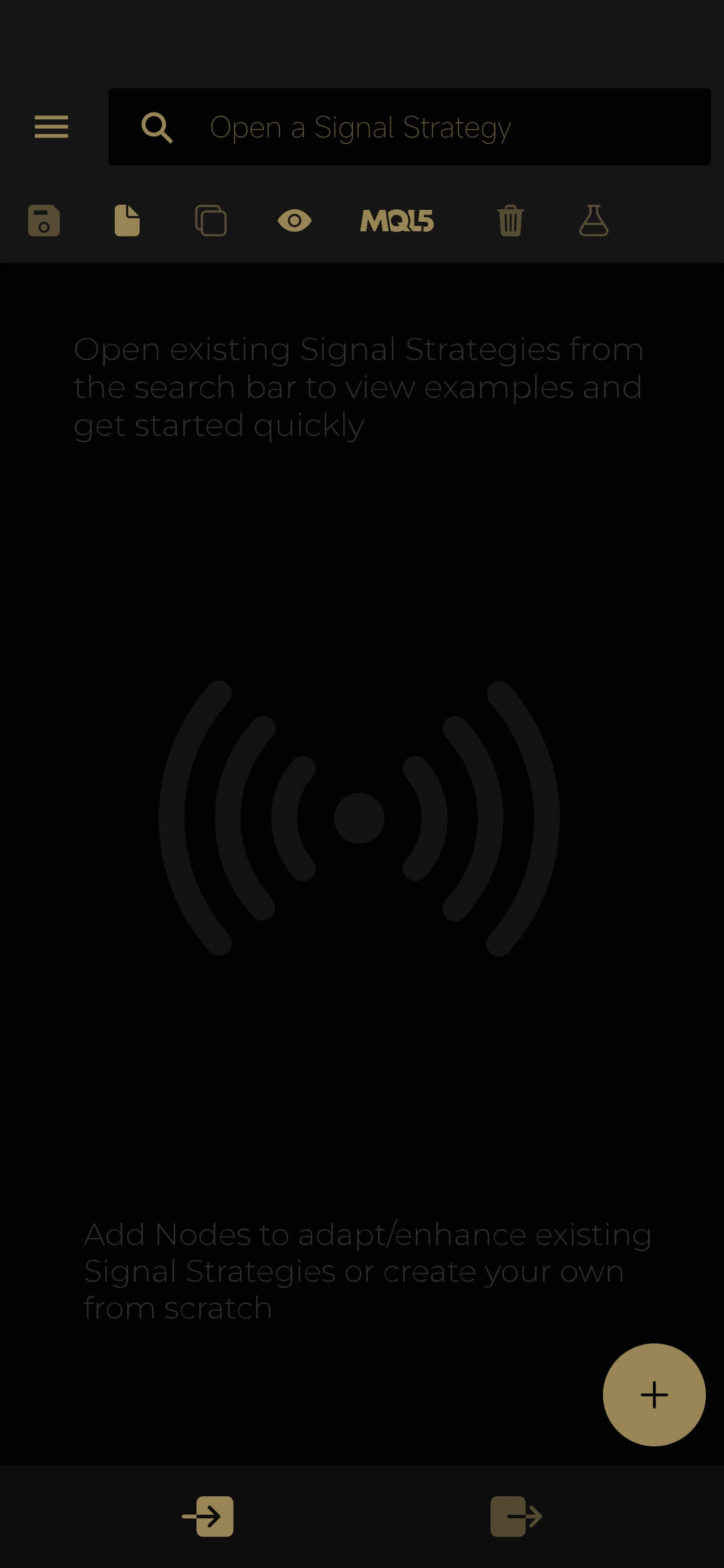
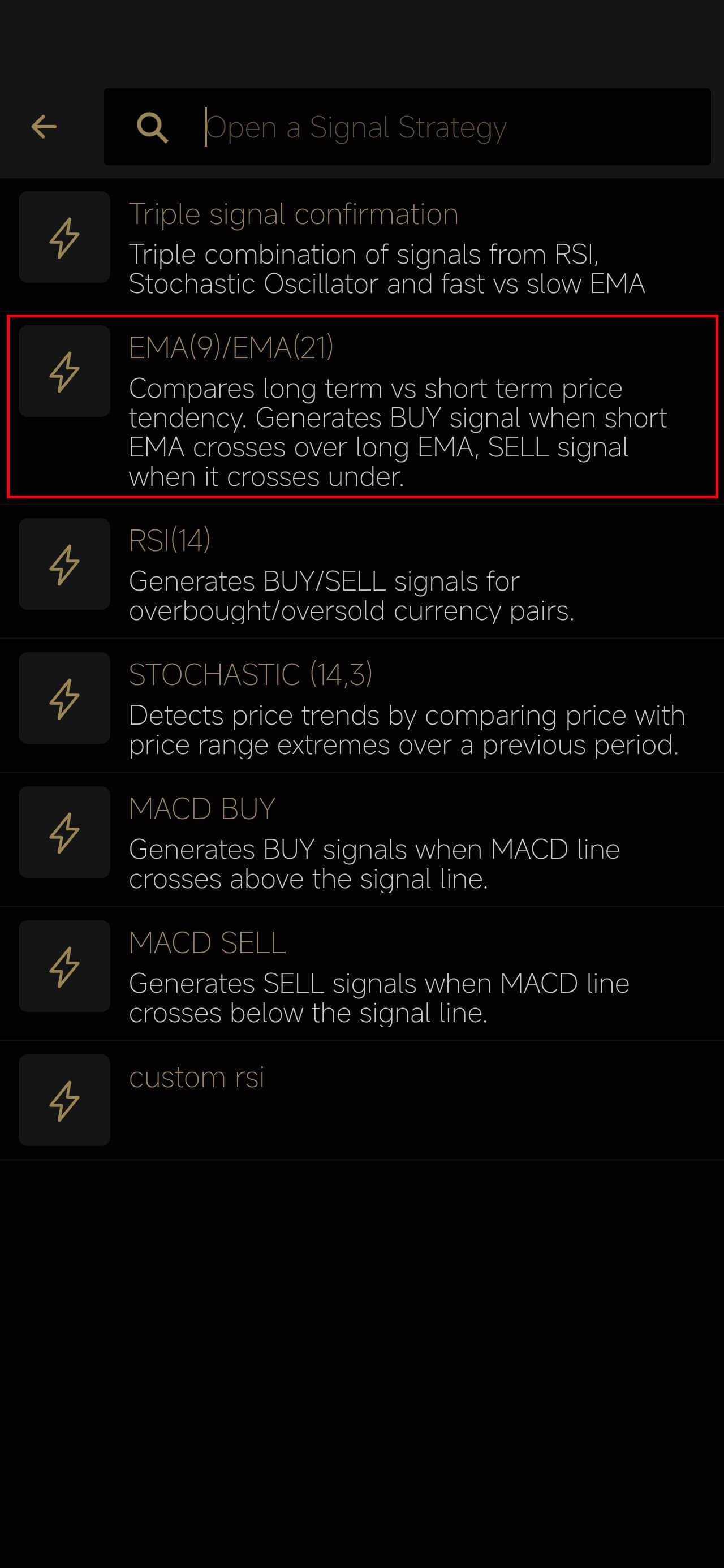
- Open the strategy selector menu, and Open a strategy you want to export to MetaTrader
The Strategy should have one Signal generator node (a node which generates a Signal output), and no infinite loops.
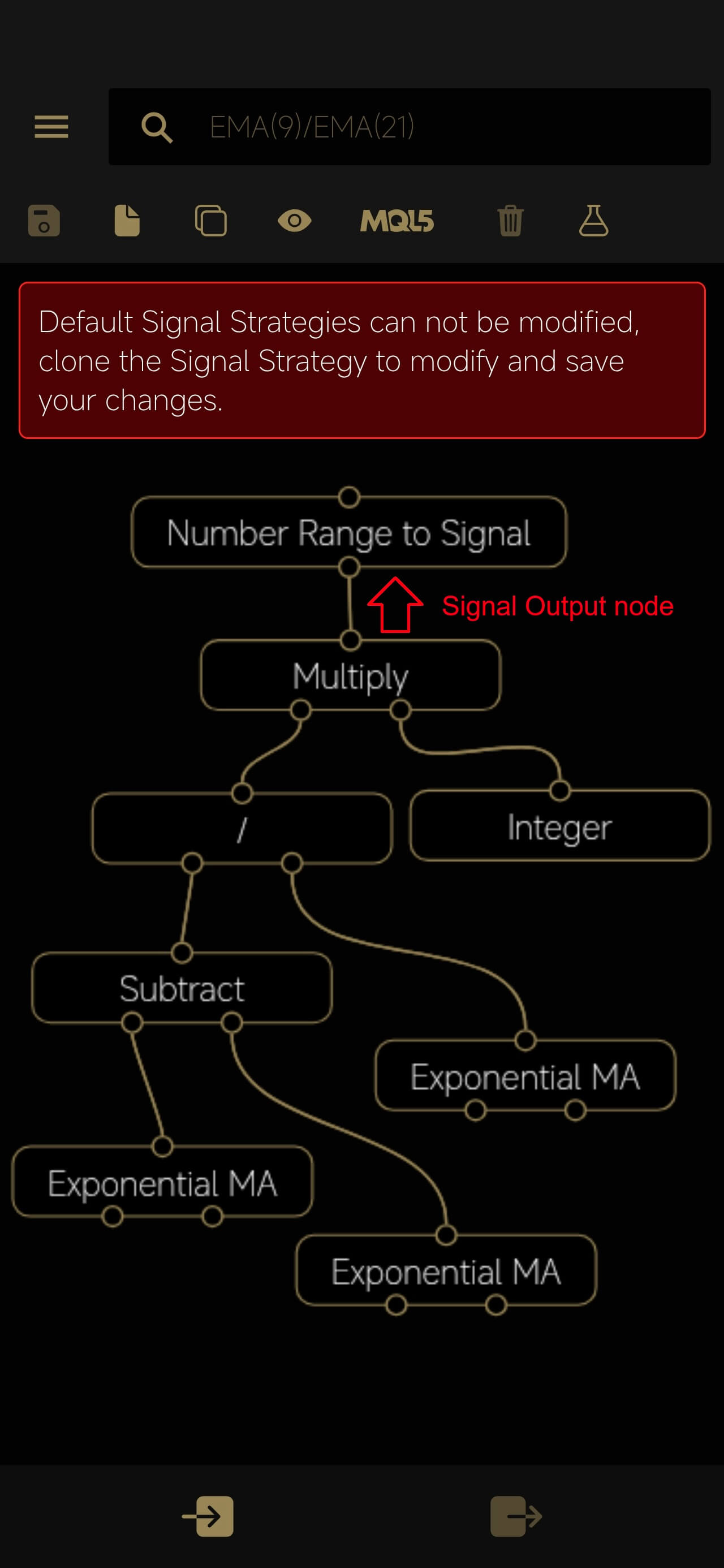
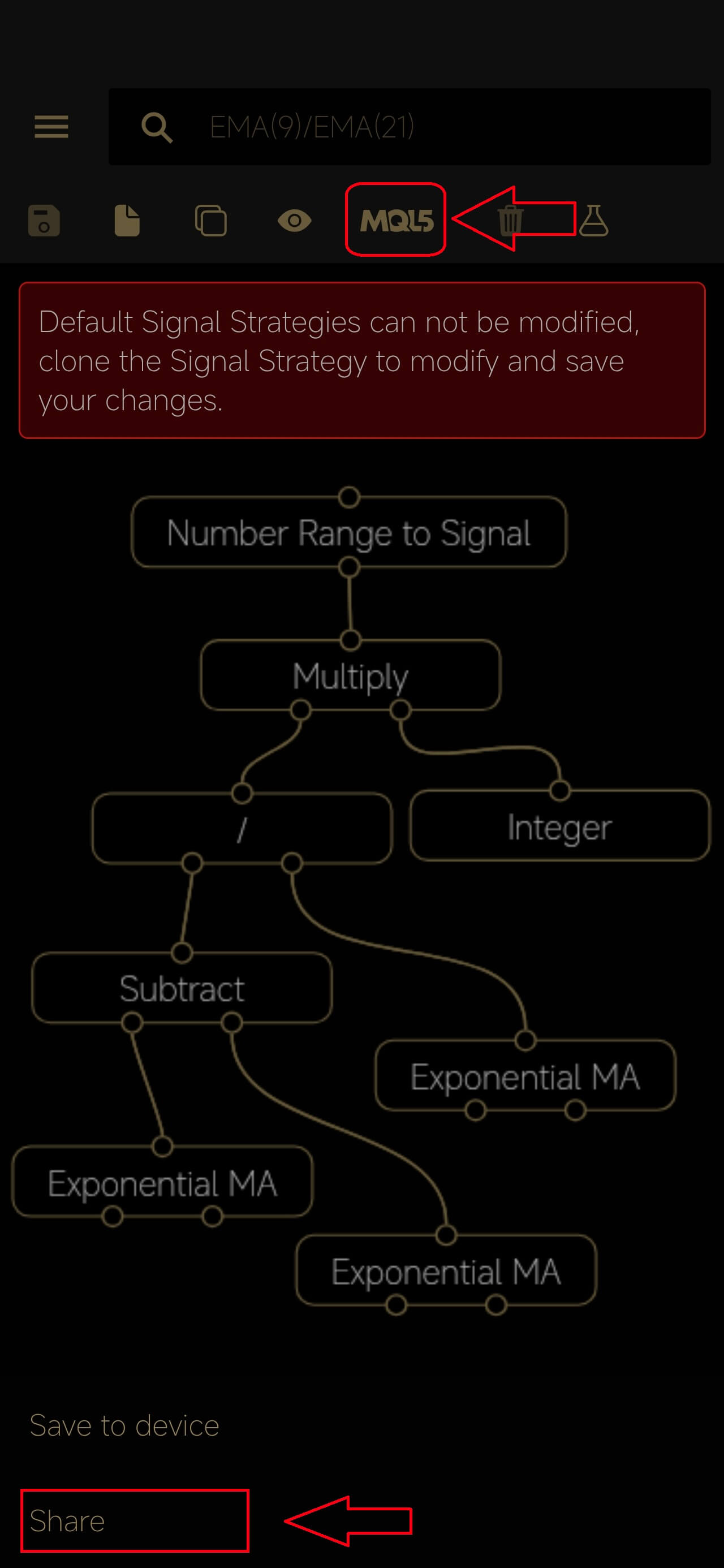
- Click on the MQL button & Select Share
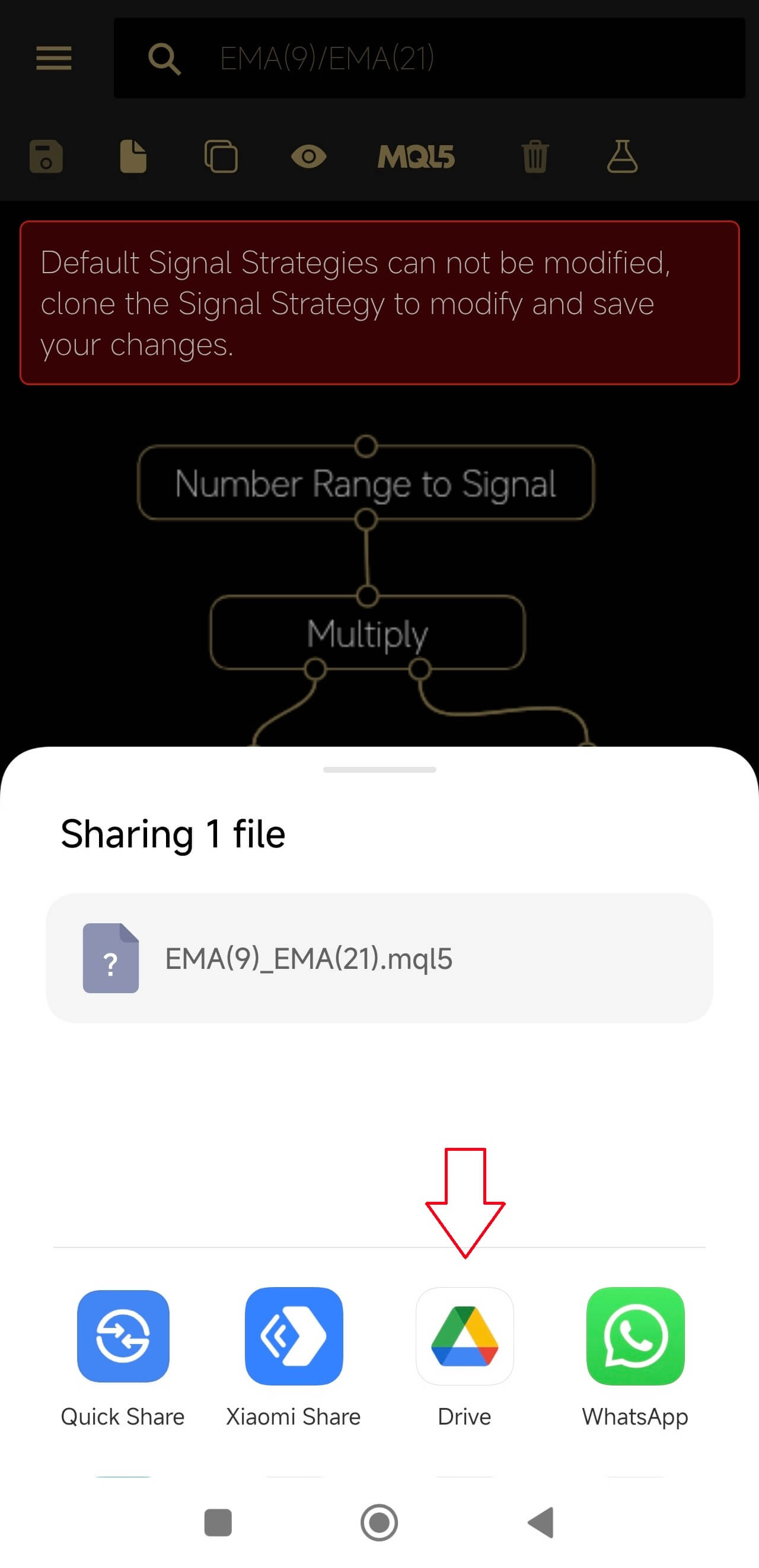
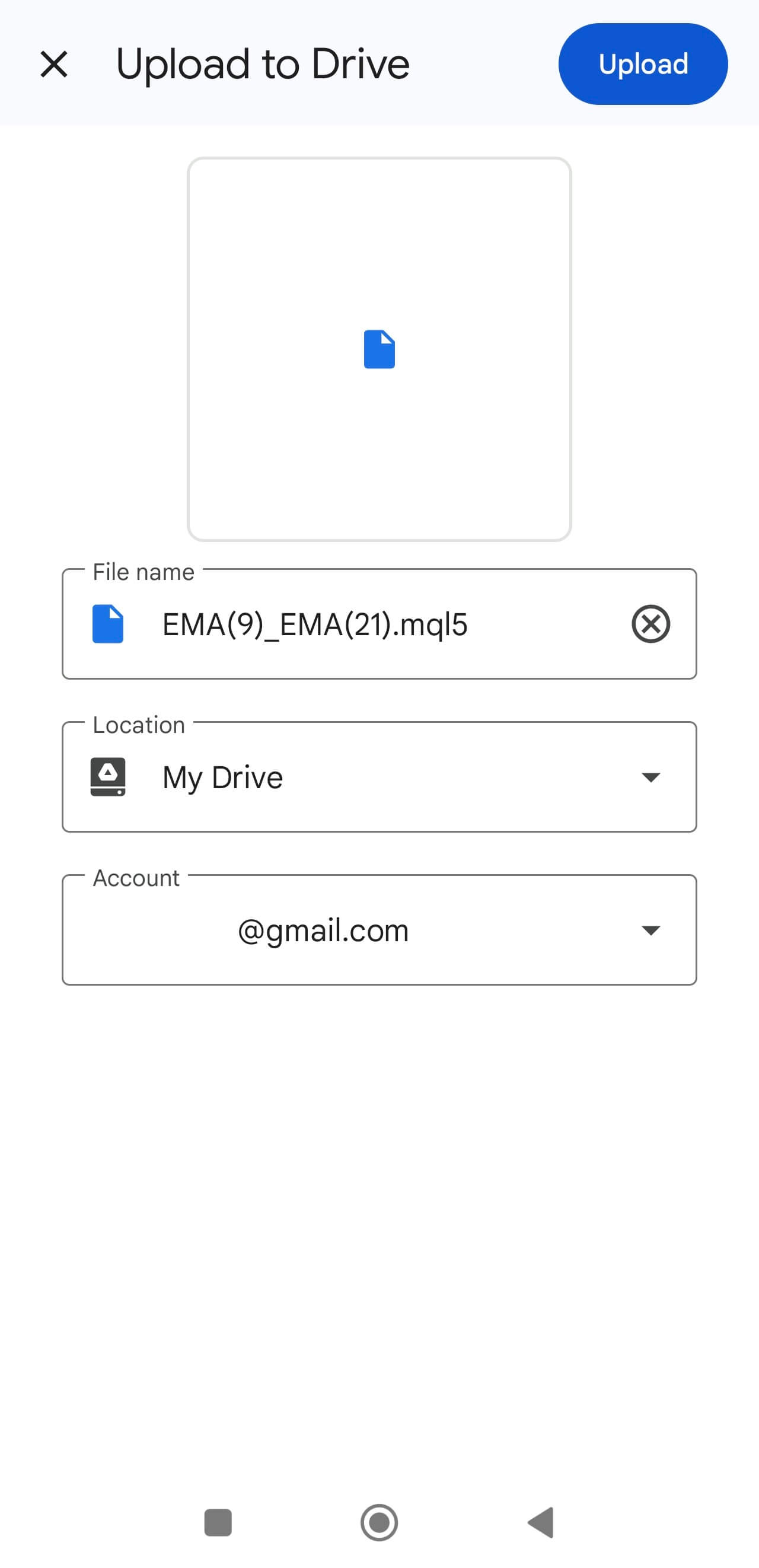
- Choose a sharing service and upload the file (in this example, we choose Google Drive)
2) On your pc
-
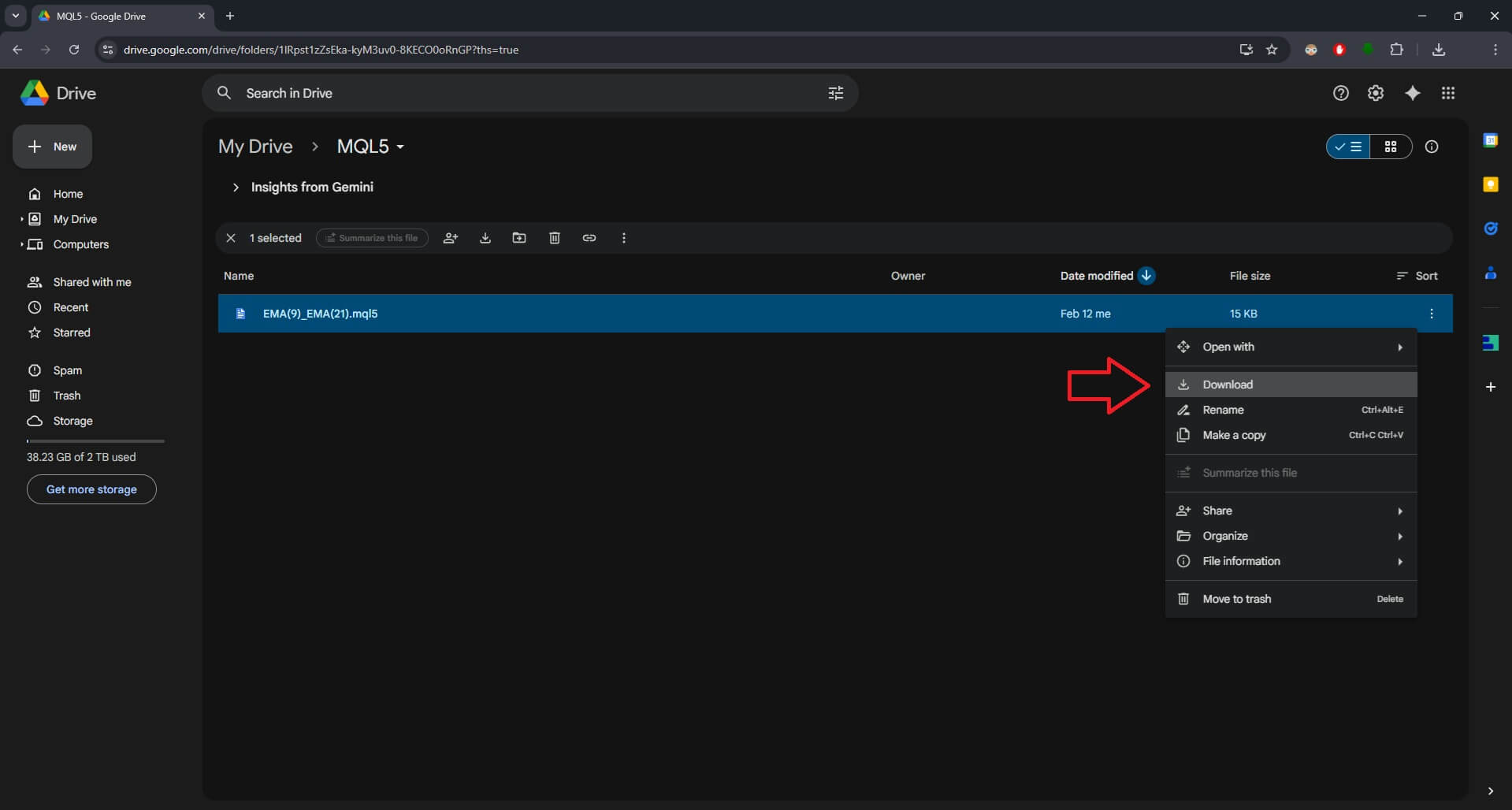
Download the MQL5 from the sharing service to your PC; in this example, we download the file from Google Drive
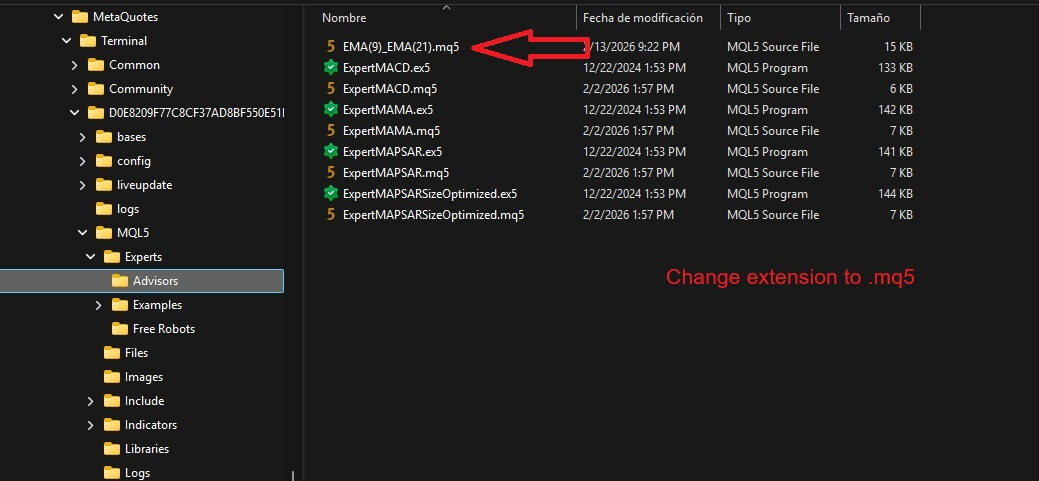
- Open MetaEditor, and select File > Open Data Folder, then navigate to the Expert Advisors folder (MQL5 > Experts > Advisors)
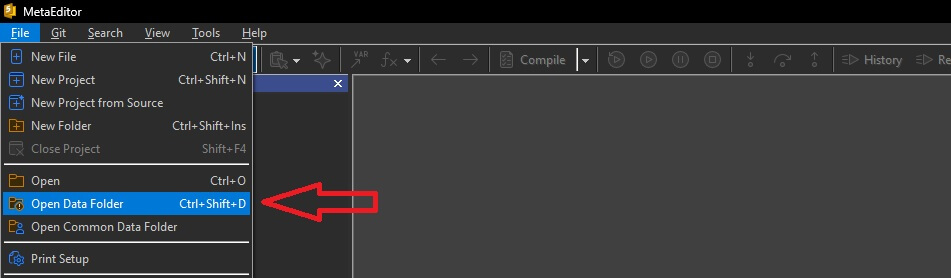
- Save the file to the Expert Advisors folder, change the extension to .mq5
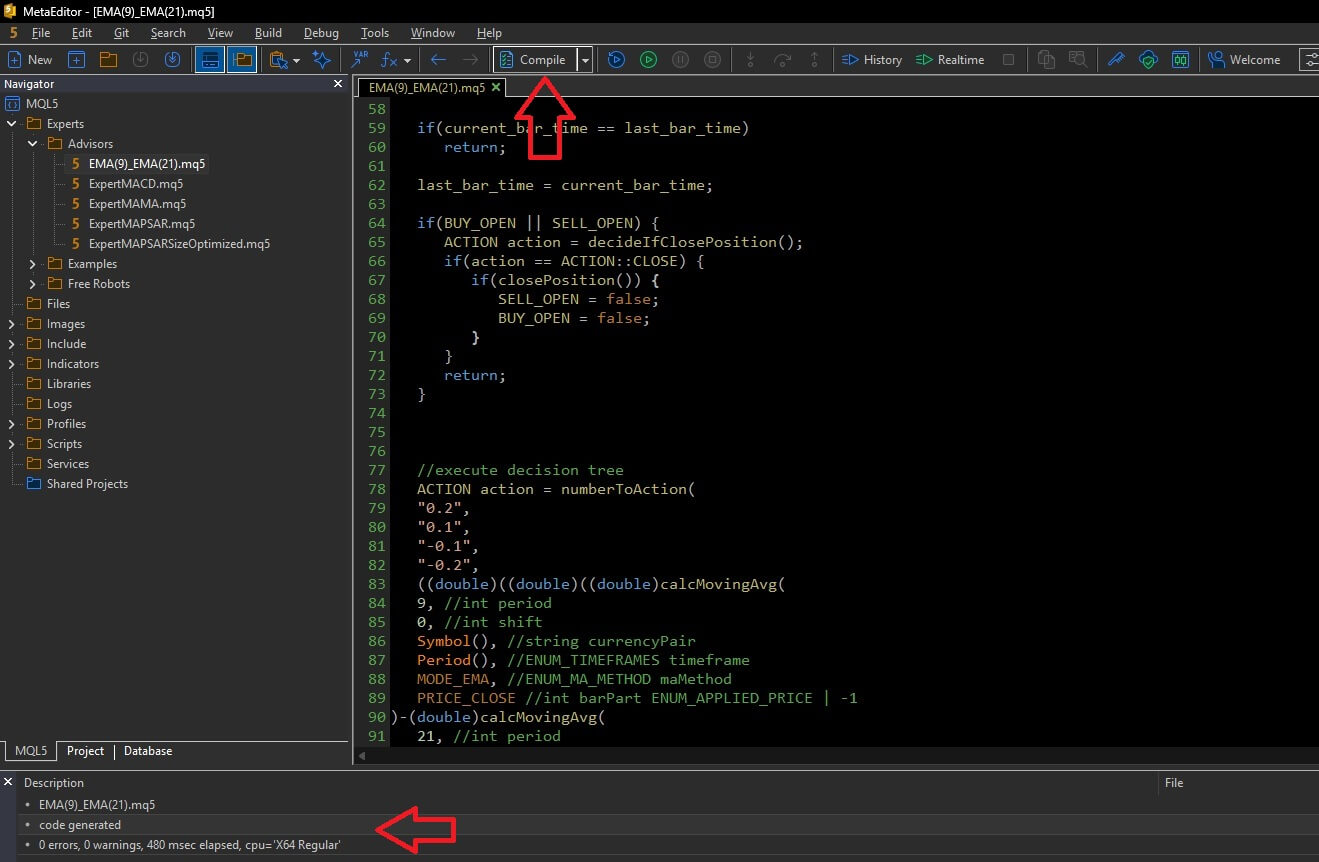
- Open the saved file in MetaEditor, and compile it
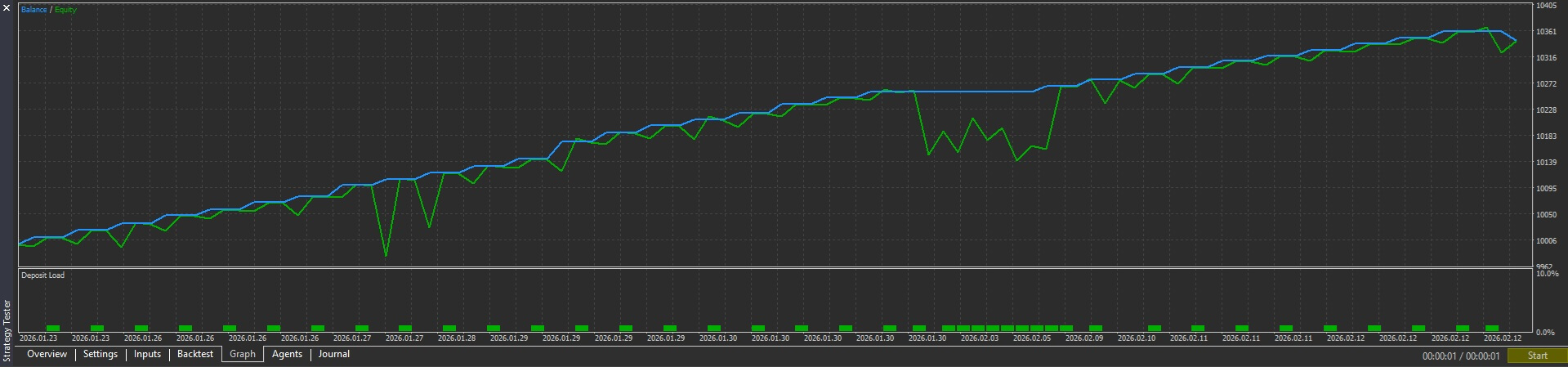
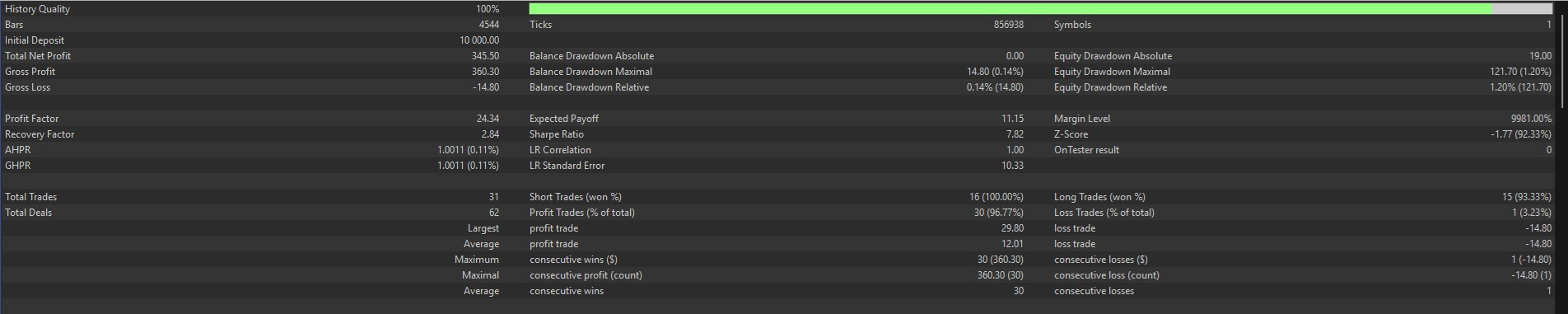
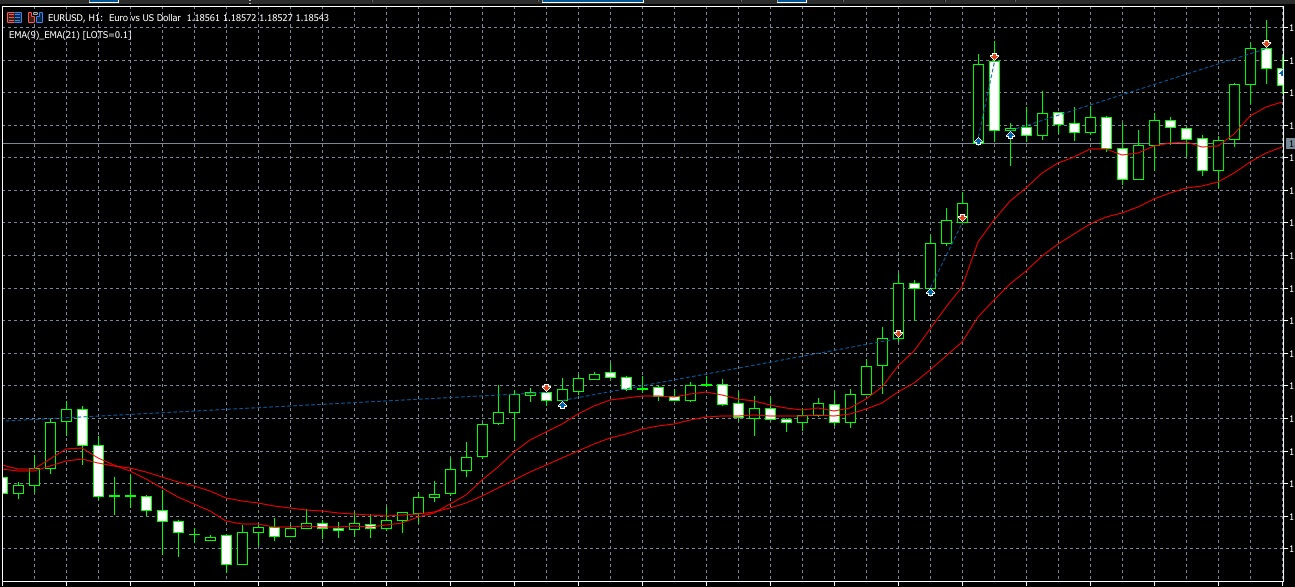
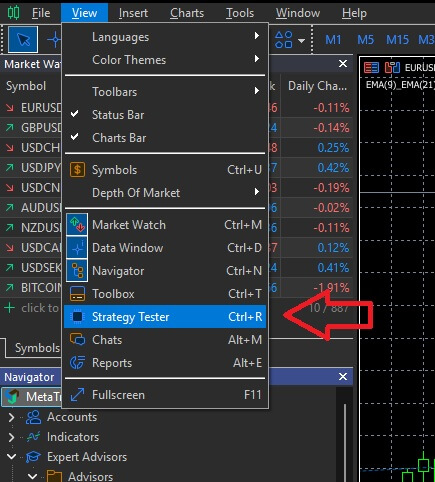
- Open MetaTrader 5, and open the Strategy Tester (View > Strategy Tester)
- Configure the backtest in the Strategy Tester panel: Select the Expert Advisor, set the desired parameters (Symbol, Timeframe, Date Range etc), and click Start

- After the backtest is complete, you can analyze the results in the various tabs (Graph, Report, Journal etc)