Build, backtest and deploy forex strategies from your phone
One Android app, from a daily AI read of the market and signal verification to an on-device backtester, a no-code strategy designer, an indicator library and real MQL5 export to MetaTrader 5.
Your trading logic, drawn instead of coded.
Drag indicators onto a canvas made for your phone, connect them into conditions and signals, and see the whole strategy at a glance. No syntax, no errors.
The designer is where your trading ideas become real, backtestable algorithms. Using a visual node-based interface, you combine indicators, logic conditions and signal outputs into a custom strategy, with no programming required at any stage. It is not a simplified toy builder: the strategies you create generate real MQL5 code that compiles and runs inside MetaTrader 5 as an Expert Advisor.
- Visual node-based strategy design on Android
- Combine indicators into multi-condition signal logic
- Custom entry and exit rules without coding
- Backtest every change on-device
- Iterate quickly with real data feedback
- No programming knowledge required
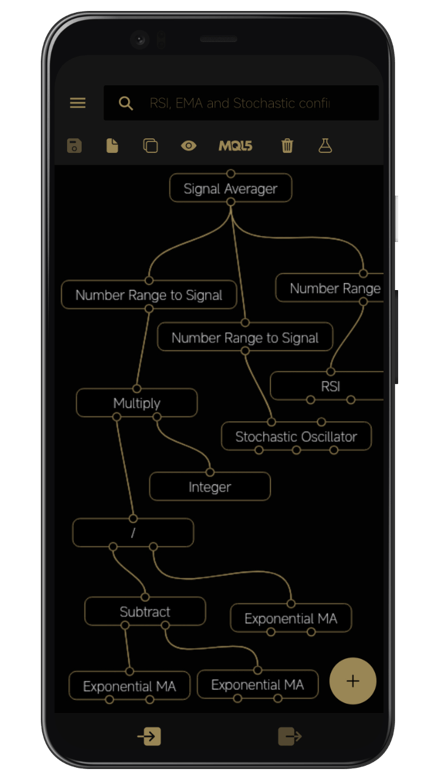
The MetaTrader 5 indicators you know, explained.
RSI, MACD, EMA, SMA and the Stochastic Oscillator. Every parameter is configurable, and the documentation for each one is a tap away.
Most traders use indicators without fully understanding them. Forex Strategy Studio gives you fully configurable indicators with inline documentation and shows exactly how they behave inside real signal logic, not just on a chart. Experiment with parameters, watch the effect on your signals, and build real knowledge instead of following alerts you do not understand.
- RSI (Relative Strength Index)
- MACD (Moving Average Convergence Divergence)
- EMA (Exponential Moving Average)
- Stochastic Oscillator
- Multi-indicator confirmation logic
- Inline help for every indicator
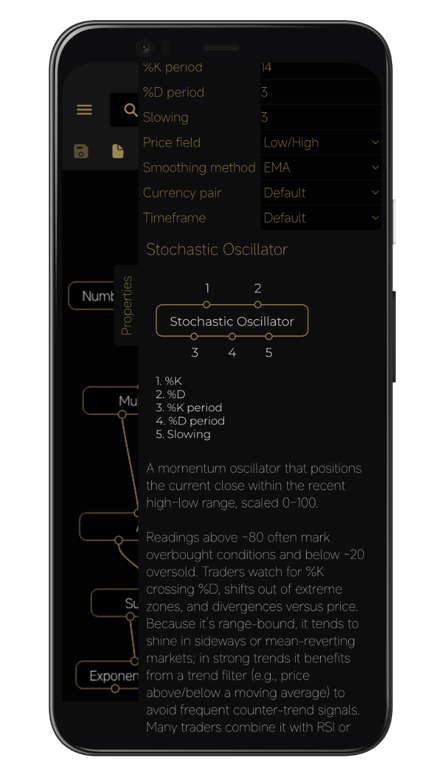
A complete backtesting lab, no internet connection required.
No PC and no waiting on a server. Backtest on the train, at the airport or on the sofa, and read the equity curve, win rate, profit factor and drawdown the moment it finishes.
Every strategy you build can be backtested on real market history directly on your Android phone. Results arrive in seconds and show whether an idea has a real statistical edge, with the same metrics professional traders use to judge a system, so you decide with data rather than emotion.
- Cumulative equity curve and net pips
- Win rate and total trade count
- Gross profit and gross loss
- Profit factor and expectancy
- Average win and average loss
- Maximum drawdown and Sharpe ratio
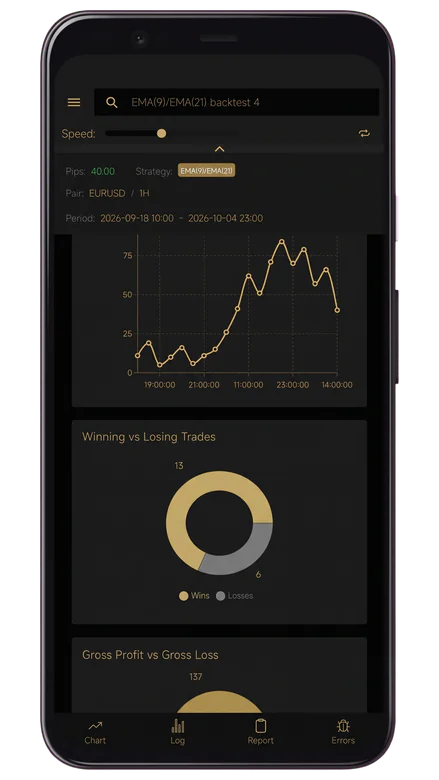
Run any signal through the backtester first.
Send any signal to the on-device backtester and see every trade it would have taken on real market history, with entry, exit and pips, before you act on it.
Signals matter. Verification matters more. Before acting on any setup, run it through the backtester and judge it with the metrics professional traders use to decide whether a strategy has a genuine edge. It turns a tip into a decision you can defend.
- Backtest any signal configuration on-device
- Win rate, profit factor and expectancy
- Every trade listed, with entry, exit and pips
- Real market history, no internet connection required
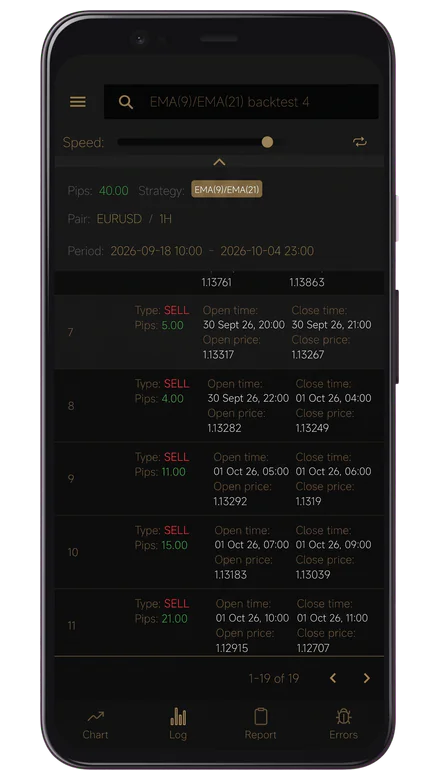
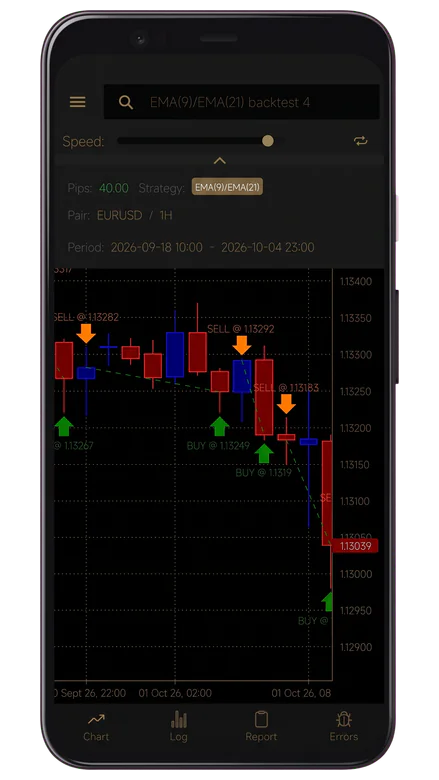
Replay the market, bar by bar.
Replay real market sessions in the on-device backtester at the speed you choose, and watch how your signals behave at every entry and exit. No risk, and no internet connection required.
The fastest way to develop trading intuition is to practise on real data without the pressure of risking money. The simulator replays historical sessions so you can observe signal behaviour, study how your logic responds to changing conditions and build discipline before trading live.
- Practise with zero financial risk
- Replay real historical market sessions
- See signal entries and exits on real charts
- Study how signal logic responds to conditions
- Review historical outcomes in detail
- Build confidence before trading live
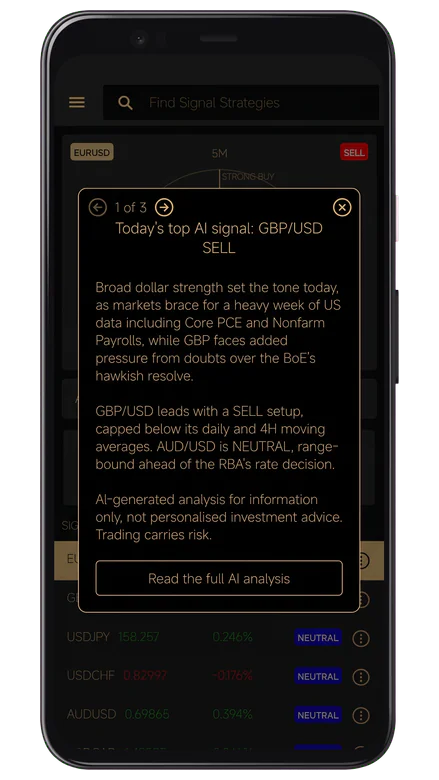
A professional read of the market, every morning.
Our proprietary AI quant models deliver one clear call per instrument every morning: direction, entry, target, stop and the reasoning, often with a prebuilt strategy you can open and backtest.
Every morning the models read live market data, analyst reports, market sentiment and the economic calendar, then reason over all of it. You understand why a call is made, not just that it was, and each report arrives in the app and on this website.
- Majors, gold and Bitcoin, every morning
- A clear Buy, Sell or Neutral call
- Entry, target, stop and risk/reward
- The technicals and calendar behind each call
- Often with a prebuilt strategy to backtest
- In the app and on the website
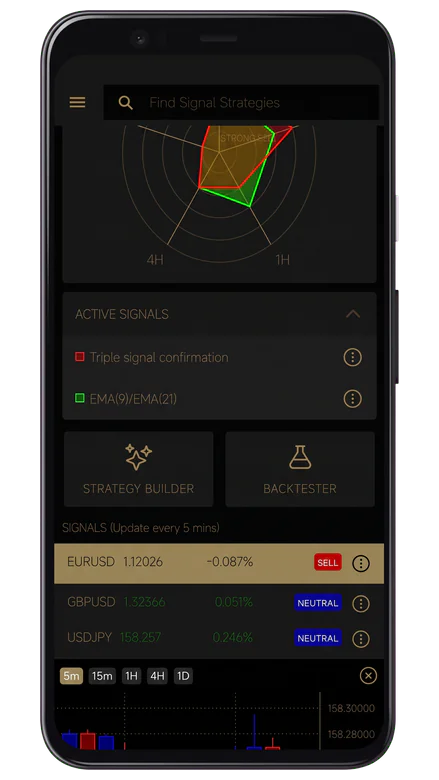
Every market, every timeframe, on one radar.
See live buy, sell and neutral signals for every pair across five timeframes, from 5 minutes to daily, refreshed every 5 minutes.
Unlike signal apps that only send alerts, every signal here comes with the context behind it: which indicators drive it and on which timeframes. Spot where the timeframes agree, then jump straight into the designer or the backtester.
- Signals across multiple currency pairs
- Clear Buy, Sell or Neutral status per pair
- Five timeframes, from 5m to 1D
- Refreshed every 5 minutes
- Indicator-driven context for every signal
- One tap to the designer or the backtester
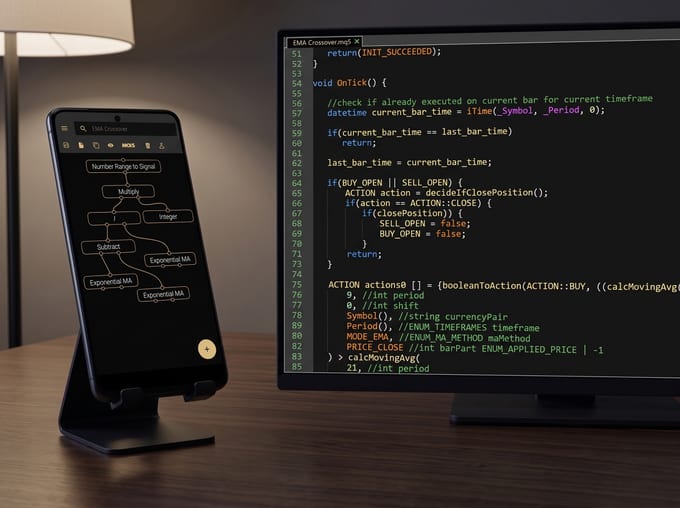
From your phone to MetaTrader 5, as real MQL5.
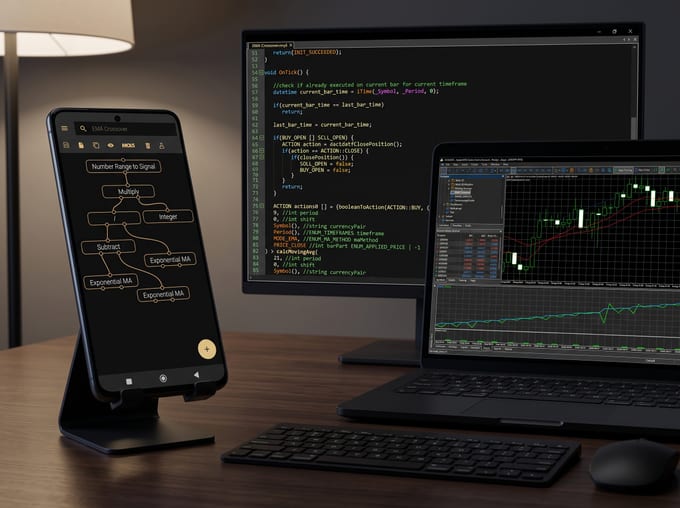
One tap turns your strategy into standard MQL5 source code, not a wrapper. Send the .mq5 file to your PC, compile it once in MetaEditor and run it as an Expert Advisor.
When your strategy is ready, export it as a real, compilable MQL5 Expert Advisor. It is full MQL5 source that runs inside the standard MetaTrader 5 platform, closing the loop from analysis and design on your phone to automated trading on a MetaTrader 5 terminal.
- Export as real MQL5 source code
- Transfer via Google Drive, email or any share target
- Compile in MetaEditor on your PC
- Run as an Expert Advisor in MetaTrader 5
- Keep backtesting in MetaTrader 5
- Step-by-step integration guide
Runs wherever MetaTrader 5 runs.
The exported code is standard MQL5, so your Expert Advisor runs with any MetaTrader 5 broker that allows Expert Advisors, on any symbol and any timeframe.
Because the export is plain MQL5, you are never tied to one platform or one account. Move between brokers, run the same Expert Advisor on several symbols, and keep refining it in the MetaTrader 5 Strategy Tester.
- Any broker that allows Expert Advisors
- Any symbol, any timeframe
- Readable, editable MQL5 source
- Nothing to install beyond MetaTrader 5
Begin with an idea.
Build it, backtest it and put it to work in MetaTrader 5 - from the phone in your hand.